
Unit 1 Project — Train Your Own AI
Run after: Sessions 1–4 · Time: one 60-min session (plus optional homework to gather examples) · Ages: 8–11
Project goal: each student trains a Teachable Machine model to recognise something they choose, tests it honestly, and explains how it learns.
What students build
Students use Teachable Machine to build their own image-recognition model with two or three classes (groups it can tell apart). They collect example images from their webcam, train the model, then test it with brand-new examples it has never seen — and report where it does well and where it gets confused.
Concrete ideas a student could pick:
- Thumbs up vs thumbs down — a hand-signal detector.
- Glasses on vs glasses off, or hat vs no hat.
- Three of my toys — e.g. teddy vs car vs ball, held up to the camera.
Steps
- Pick something with 2–3 clear classes that look different from each other. Write the class names down first.
- In Teachable Machine, choose Image Project → Standard image model, and name each class.
- For each class, record at least 30 example images from the webcam, moving a little between shots — different angles, distances, and backgrounds.
- Click Train Model and wait for it to finish. Do not change classes while it trains.
- Test honestly: show the model new examples it did not learn from, including tricky ones, and watch the confidence bars.
- Notice one thing it gets right and one thing it gets wrong or confused about, and think about why (too few examples? backgrounds too similar?).
- Improve it once: add more varied examples to the weakest class and re-train, then test again.
- Prepare a 30–60 second explanation: what it recognises, how you taught it, and one honest limitation.
Deliverable
A short live demo (or a screen-recording) in which the student:
- shows the model correctly recognising each class at least once,
- shows one honest example where it struggles, and
- explains in their own words how it learned (examples → patterns → prediction) and one way to make it better.
The rubric scores four rising levels:
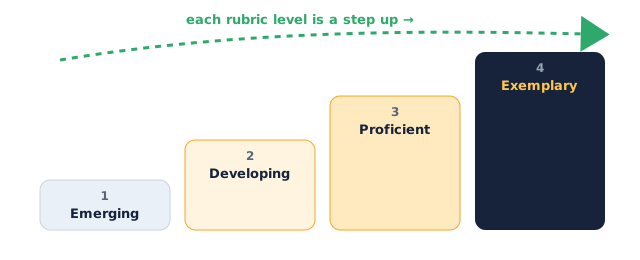
Assessment rubric
| Criterion | Emerging (1) | Developing (2) | Proficient (3) | Exemplary (4) |
|---|---|---|---|---|
| Data collection (examples) | Very few or messy examples; classes hard to tell apart | Enough examples but all similar (same angle/background) | 30+ varied examples per class across angles and backgrounds | Rich, varied examples chosen deliberately to cover tricky cases |
| Training a working model | Model does not train or rarely predicts correctly | Model works but is often wrong | Model reliably recognises each class in a fair test | Model is robust and stays accurate even on tricky new examples |
| Honest testing | Only shows examples that work; ignores mistakes | Notices a mistake but cannot say why | Finds a real limitation and gives a sensible reason | Diagnoses the cause and improves the model by re-training |
| Explaining how AI learns | Cannot describe how it learned | Mentions "examples" but muddles the steps | Clearly explains examples → patterns → prediction | Explains the process and links more/better examples to better guesses |
Instructor tips
- Running it: get every student to name their classes and write them down before recording — it prevents "one giant blurry class" chaos.
- Timing: budget ~10 min to pick and plan, ~20 min to record and train, ~15 min to test and improve, ~15 min for demos. Have fast finishers add a third class or a "nothing" class.
- Differentiation: strugglers do two very different classes (thumbs up vs thumbs down). Confident students try classes that look alike, which forces careful, varied examples.
- Low-tech fallback: if a student has no webcam, they can partner up, or upload a few photos taken on a phone. If Teachable Machine is unavailable, they can plan the project on paper — list classes, the examples they'd collect, and one case that would confuse the model — and be assessed on the planning and explanation criteria.
- Watch for: the "red sofa" trap from Unit 1 — models that secretly learn the background. Encourage varied backgrounds and call this out when it happens.