
Unit 1 Project — Build a Predictor
Run after: Sessions 1–4 · Time: 1–2 sessions (75 min each) · Ages: 12–15
Project goal: students train and test a machine-learning model on a real dataset, report its accuracy honestly, and name one fairness or bias risk in their data.
What students build
A short, self-contained Google Colab notebook that loads a dataset, trains a prediction model with scikit-learn, tests it on data it has never seen, and reports how accurate it is. The notebook ends with a written reflection on one bias or fairness issue in the data.
This is not about getting the highest score — it is about doing the method correctly and being honest about what the model can and cannot do.
Example ideas (let students choose one, or bring their own):
- Survival predictor — use the classic Titanic passenger dataset to predict who survived from features like age, sex, and ticket class. (Great for the fairness discussion.)
- Flower classifier — use the Iris dataset to predict a flower's species from its petal and sepal measurements.
- Grades predictor — use a small student-performance dataset to predict pass/fail from study hours and attendance.
Steps
- Pick a dataset and a question. Decide clearly what you are predicting (the target) and what you are predicting it from (the features). Write the question in one sentence at the top of the notebook.
- Load and look at the data with pandas. Show the first rows, count how many rows there are, and note anything strange (missing values, odd numbers).
- Split the data into a training set and a test set. The model learns from training data only; the test set is held back to check it fairly.
- Train the model by calling
fiton the training data. - Test the model by calling
predicton the test set and comparing the predictions to the real answers. - Measure accuracy — report the score as a percentage and say in words what it means.
- Discuss one fairness issue — look for a group in the data that the model might treat unfairly, and write 3–4 sentences about it.
A minimal scikit-learn skeleton students can adapt:
import pandas as pd
from sklearn.model_selection import train_test_split
from sklearn.tree import DecisionTreeClassifier
from sklearn.metrics import accuracy_score

# 1–2. Load and look
data = pd.read_csv("dataset.csv")
print(data.shape)
data.head()

# choose features (X) and target (y)
X = data[["feature_a", "feature_b"]]
y = data["target"]

# 3. Split: train on 80%, test on the held-back 20%
X_train, X_test, y_train, y_test = train_test_split(X, y, test_size=0.2, random_state=1)

# 4. Train
model = DecisionTreeClassifier(max_depth=4)
model.fit(X_train, y_train)

# 5–6. Test and measure
predictions = model.predict(X_test)
print("Accuracy:", accuracy_score(y_test, predictions))
Deliverable
One Colab notebook (shared with view access, or exported as a .ipynb / PDF) that contains, in order:
- the prediction question in one sentence,
- the data loaded and shown with pandas,
- a clear train/test split,
- a trained model with a reported accuracy score,
- a short written fairness note (3–4 sentences) naming one bias risk and who it could affect.
The rubric scores four rising levels:
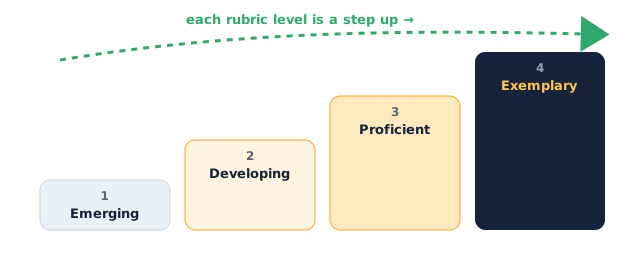
Assessment rubric
| Criterion | Emerging (1) | Developing (2) | Proficient (3) | Exemplary (4) |
|---|---|---|---|---|
| Data handling (pandas) | Data barely loads; no exploration | Loads data and shows rows | Loads, explores, and notes an issue (e.g. missing values) | Cleans or handles a data problem and explains the choice |
| Train/test method | No split; model tested on training data | Split present but reasoning unclear | Correct train/test split; explains why we hold data back | Explains why testing on unseen data prevents fooling yourself |
| Model & prediction | Model does not run | Model runs but wrong features/target | fit and predict used correctly on the right columns |
Tries a setting (e.g. depth) and compares the effect |
| Evaluation honesty | No accuracy reported | Accuracy shown but not interpreted | Accuracy reported and explained in plain words | Discusses when the score is misleading (e.g. imbalanced classes) |
| Fairness / bias reflection | Missing or generic | Mentions bias vaguely | Names a real bias in the data and who it affects | Names the bias, the affected group, and a way to reduce it |
Instructor tips
- Timing: if you have two sessions, use the first for loading and training and the second for evaluation and the fairness write-up. In a single session, give students the code skeleton pre-filled so they spend time understanding, not typing.
- Provide starter notebooks. Have one Colab per suggested dataset with the data-loading cell already working, so no one loses the whole session to a broken file path.
- Differentiation: stronger students can add a second model and compare accuracy, or try a confusion matrix; students who need support can use the skeleton as-is and focus their energy on the fairness reflection.
- Push for honesty, not high scores. A model at 72% with a thoughtful fairness note should score higher than a copied 95% with no understanding. Say this to the class up front.
- Low-tech fallback: if devices or internet are unreliable, run one model live on the shared screen and have students complete the split, evaluation, and fairness reflection on paper using a printed sample of the dataset.