
Unit 3 Project — Your Own Playable Game
Run after: Sessions 9–12 · Time: one 60-min session (plus optional homework to finish and polish) · Ages: 7–11
Project goal: each student builds a complete little game — it has a goal, keeps running in a loop, makes decisions, tracks a score, and ends with a win or a loss.
What to build
Students put the whole toolkit together into a small but complete game. It needs a clear goal the player is trying to reach, a game loop that keeps the action going, decisions (if–then) that respond to the player, a score or a win/lose ending, and sprites and a background that set the scene. This is a smaller version of the catch, maze and story games they built in Unit 3.
Example ideas
Students choose one and shape it into their own game:
- Catch game — catch falling treats before they hit the floor; miss five and it's game over.
- Maze game — steer a sprite to the exit without touching the walls; reach the goal to win.
- Dodger — survive as long as you can while dodging sprites; the score is your survival time.
- Collector — grab all the gems scattered on the stage before the timer runs out.
Deliverables
- A saved, shareable Scratch project the class can actually play.
- A win or lose ending (a "You win!"/"Game over" message, or a target score).
- A visible score or goal, driven by if–then decisions inside a loop.
- Sprites and a background that suit the game, plus a one-line "how to play."
The rubric scores four rising levels:
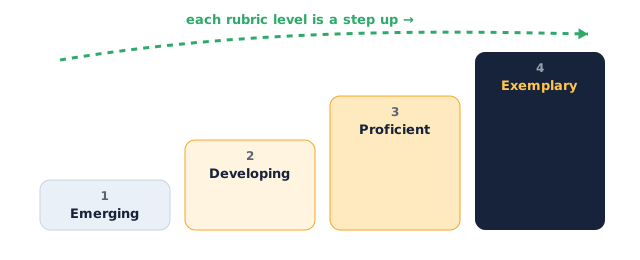
Assessment rubric
| Criterion | Emerging | Developing | Proficient | Exemplary |
|---|---|---|---|---|
| Clear goal / win condition | No goal or way to win | Goal is unclear or unreachable | Clear goal with a win or lose ending | Clear goal with both winning and losing handled |
| Game loop works | Nothing keeps running | Loop runs but stalls or glitches | A forever/repeat loop keeps play going |
Smooth loop with no freezes or runaways |
| Uses decisions & score | No if–then or score | One works, the other is missing | If–then decisions and a score both work | Decisions and score combine into real gameplay |
| Sprites & scenes | Default sprite, no backdrop | Some sprites, plain scene | Fitting sprites on a chosen backdrop | Sprites and scene tell a clear, themed story |
| Polish | Broken or hard to start | Playable but rough | Runs cleanly with clear instructions | Finished, fair, and genuinely fun to play |
Instructor tips
- Running it: ask for a one-sentence pitch first — "You win by , you lose if " — so every game has a goal before a single block is placed.
- Timing: ~10 min to pitch and plan, ~30 min to build the core loop, ~10 min for a partner playtest, ~10 min to fix and share.
- Differentiation: strugglers extend one earlier Unit 3 game with a new sprite or backdrop. Confident students add levels, a high score, or a start screen.
- Low-tech fallback: students design their game on paper — a labelled stage, the rules, the win/lose condition — and pitch it; assess the goal, the loop idea, and the decisions.
- Watch for: games with no ending that just run forever — nudge them to add a win or lose condition so the game actually finishes.