
Unit 1 Project — Bring a Sprite to Life
Run after: Sessions 1–4 · Time: one 60-min session (plus optional homework to add polish) · Ages: 7–11
Project goal: each student makes a single sprite come alive — it moves, changes how it looks, plays a sound, and does it all when the green flag is clicked (or a key is pressed).
What to build
Students build one small Scratch project that shows off everything from Unit 1. When the program runs, a sprite should move across the stage, change its costume or looks, and play a sound — all kicked off by an event like the green flag or a key press. Think of it as the sprite's "hello, I'm alive!" routine.
Example ideas
Any of these works — students should pick one and make it their own:
- A dancing cat — press the green flag and the cat glides, switches between two costumes, and meows.
- A rocket launch — tap the space key and the rocket zooms up, changes colour, and plays a whoosh.
- A waking-up puppy — click the flag and the puppy wiggles, blinks between costumes, and barks hello.
- A superhero pose — press a key and the hero slides in, grows bigger with a
change sizeblock, and plays a sound.
Deliverables
- A saved Scratch project (shared link if signed in, or a screenshot of the script) that runs from an event.
- The sprite moves, changes costume or looks, and plays a sound when it runs.
- A one-sentence answer, out loud or written: "My sprite comes to life when I ___."
The rubric scores four rising levels:
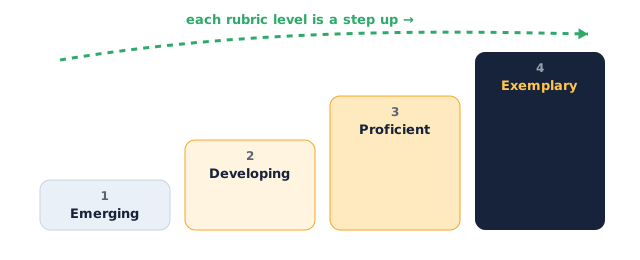
Assessment rubric
| Criterion | Emerging | Developing | Proficient | Exemplary |
|---|---|---|---|---|
| Movement | Sprite barely moves or stays still | Moves a little but jerkily | Sprite moves clearly across the stage | Smooth, deliberate motion that fits the idea |
| Looks & sound | No costume change or sound | Either a look change or a sound, not both | Changes a costume/look and plays a sound | Looks and sound combine into a lively routine |
| Uses an event to start | Nothing starts the program | Runs only after fiddling | Starts cleanly from the green flag or a key | Chooses the right event on purpose and explains it |
| Creativity & effort | Little changed from the demo | Small tweaks to the demo | A clear personal idea, built with care | Original, polished, and proudly finished |
Instructor tips
- Running it: ask each student to name their sprite's "trick" before they build — it keeps the project focused on move + look + sound.
- Timing: ~10 min to plan and pick a sprite, ~30 min to build, ~10 min to polish, ~10 min for quick shares.
- Differentiation: strugglers reuse the Session 1 script and add one sound. Confident students chain two costume changes or add a second sprite that reacts.
- Low-tech fallback: no device? Students draw their sprite's routine as a comic strip — panel 1 the event, then move, then costume change, then sound — and are assessed on the plan and their explanation.
- Watch for: blocks placed near the hat block but not snapped — if nothing runs, wiggle the top block to check the stack holds together.