
Unit 2 Project — A Game with Rules & a Score
Run after: Sessions 5–8 · Time: one 60-min session (plus optional homework to test and tune) · Ages: 7–11
Project goal: each student builds a small interactive project that follows a rule — an if–then decision that changes a score and reacts to the player.
What to build
Students make a project where the computer thinks: it watches for something (a click, a key, a touch) and, using an if–then rule, changes a score variable on screen. The player should be able to do something and see the score go up (or down). It doesn't need to be a full game yet — one solid rule that changes the score is the heart of this project.
Example ideas
Students pick one idea and build the rule behind it:
- Click the star — every time you click the moving star sprite,
scoregoes up by 1. - Catch, don't drop — if the basket touches the falling apple, add a point; if it hits the floor, take one away.
- Keep away from the bug — if the player sprite touches the bug, the score drops; dodge it and it climbs.
- Quiz buzzer — ask a question, and if the answer is right,
scoreincreases.
Deliverables
- A saved Scratch project (shared link or screenshot) that the class can play.
- A visible score variable that starts at 0 and changes during play.
- At least one if–then rule that drives the score.
- A one-line "how to play" so a new player knows what to do.
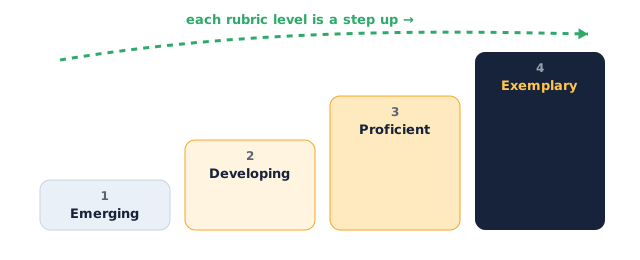
The rubric scores four rising levels:
Assessment rubric
| Criterion | Emerging | Developing | Proficient | Exemplary |
|---|---|---|---|---|
| A working rule (if–then) | No working rule | Rule exists but often misfires | One clear if–then rule that works | Rule is reliable and well chosen for the game |
| Score variable | No score, or it never changes | Score changes but resets wrong or hides | Score starts at 0 and changes correctly | Score handled cleanly (resets, goes up and down) |
| Interactivity | Player can't affect anything | Reacts, but only sometimes | Responds clearly to clicks, keys or touching | Feels responsive and fair to play |
| Playability | Confusing or breaks quickly | Playable but unclear how | Easy to understand and play | Fun, clear, and makes you want another go |
Instructor tips
- Running it: have each student say their rule as a sentence first — "If ___ then score ___" — before they open any blocks.
- Timing: ~10 min to plan the rule, ~30 min to build, ~10 min to playtest a partner's project, ~10 min to fix and share.
- Differentiation: strugglers use one
if touching → change scorerule. Confident students add a second rule (a penalty) or a timer. - Low-tech fallback: students design the rule and scoring on paper as a board-game card — the trigger, the if–then, and how points change — and are assessed on the logic and clarity.
- Watch for: a score that never resets — remind them to
set score to 0under the green flag so each game starts fresh.