
Course Capstone — Design, Build & Present a Game
Run after: Sessions 1–12 and the three unit projects · Time: two 60-min sessions (design & build, then present) — or one session with build time at home · Ages: 7–11
Project goal: each student designs a game of their very own, builds it with the skills from the whole course, playtests it, and presents it to the class — a portfolio-ready finale.
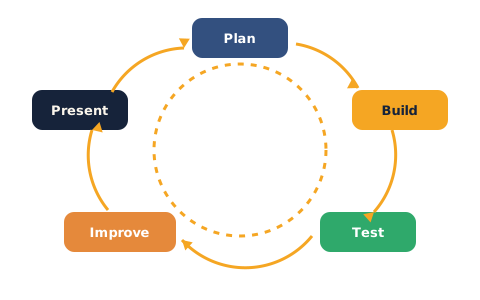
What to build
This is the big one: a game the student designs and builds from scratch (pun intended!). They dream up their own idea, then use everything the course taught — moving sprites, costumes and sound, events and loops, if–then decisions, and a score — to build it. They playtest it with a partner, fix what's clunky, and present it at a class showcase. This project is meant to live in their portfolio and be shared with family.
Design brief
Before building, each student fills in a simple plan:
- My game is called ___. (a title)
- The goal is ___. (what the player is trying to do)
- You win when , and you lose if .
- The player controls it by ___. (keys, clicks, or the mouse)
- It will use these skills: movement, looks/sound, an event, a loop, an if–then rule, and a score.
Example ideas
Students invent their own — these are just sparks:
- Space rescue — fly a ship to collect lost astronauts before your fuel runs out.
- Kitchen chaos — catch the right ingredients falling from the top, dodge the wrong ones.
- Pet parkour — hop a puppy across moving platforms to reach its bone.
- Treasure maze — find the key, then the chest, without waking the guard sprite.
Deliverables
- A shared Scratch project link (signed-in account) — the finished, playable game.
- The completed design brief (title, goal, win/lose, controls).
- A short presentation (1–2 minutes): show the game, do a quick live demo, and share one thing you're proud of and one thing you'd add next.
The rubric scores four rising levels:
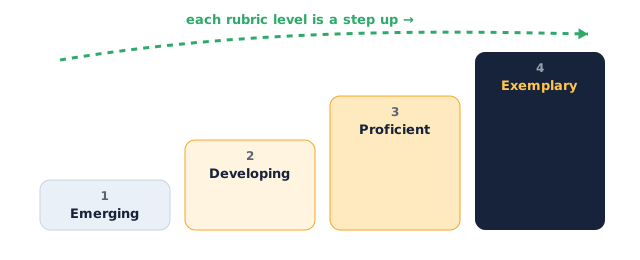
Assessment rubric
| Criterion | Emerging | Developing | Proficient | Exemplary |
|---|---|---|---|---|
| Original design | Copies the demo closely | An old idea with small tweaks | A clear idea of the student's own | A fresh, imaginative idea, well planned |
| Uses course skills | Very few blocks used | A couple of skills, shakily | Movement, event, loop, if–then & score all used | Skills combined skilfully into real gameplay |
| Working game | Doesn't run or breaks fast | Runs but with big bugs | Plays cleanly start to finish | Polished, fair, and fun to replay |
| Win / lose & score | No ending or score | One works, one is missing | Clear win/lose and a working score | Endings and score make the game satisfying |
| Playtesting & fixing | No testing done | Tested but nothing fixed | Playtested and one weakness fixed | Tested with a partner, several fixes made |
| Presentation | Can't show the game clearly | Shows parts; audience unsure | Clear demo of goal, play and one proud moment | Confident, engaging demo that tells the story |
Instructor tips
- Running it: split across two sessions if you can — one to design and build, one to present. If time is tight, set building as homework and keep the session for the showcase.
- Timing (showcase): ~2–3 min per student, plus applause and one kind question from the class. Keep a visible timer.
- Differentiation: strugglers polish and expand their Unit 3 game into their capstone. Confident students add levels, a start screen, or a second player.
- Low-tech fallback: a paper game design — labelled stage, rules, win/lose, and a pitch — meets every criterion except the live build. Assess the design, the thinking, and the presentation.
- Make it a celebration: invite families to watch if you can, and let every student name one thing they're proud of. This is the moment the whole course has been building toward.